Image Optimizer Tool
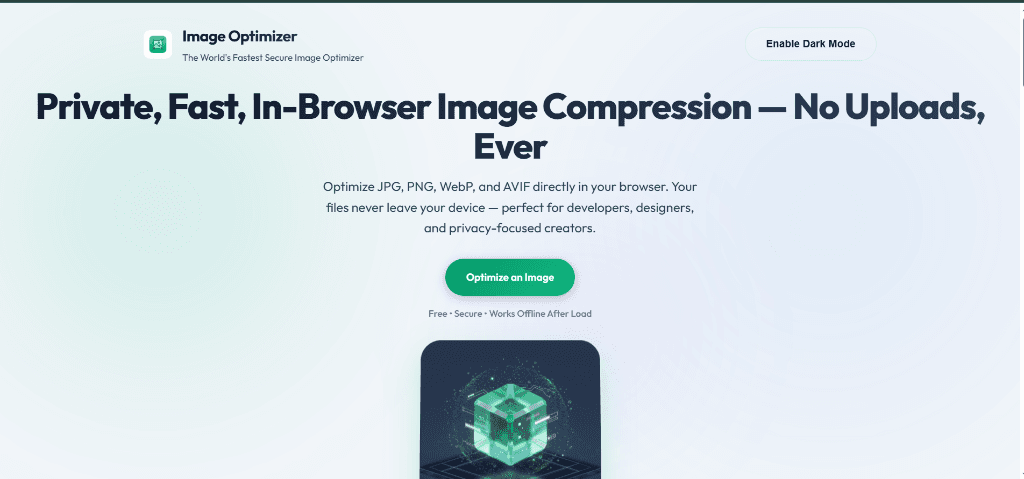
About the Project
The Image Optimizer Tool was built to solve a real privacy problem: most online image compressors require you to upload your files to a remote server. For sensitive photos, business documents, or personal screenshots, that is a serious privacy concern. This tool processes everything entirely inside the browser using the HTML5 Canvas API, which means your images never leave your device. It supports high-quality compression across four modern formats — JPG, PNG, WebP, and AVIF — giving users full control over the quality-to-size tradeoff. Whether you are a blogger optimizing images for faster page loads or a business protecting client data, this tool delivers professional-grade compression with zero privacy risk.
Key Features
- 100% Client-side processing — images never leave your device
- Multi-format support including modern AVIF and WebP
- Bulk image optimization for processing multiple files at once
- Real-time before/after preview with file size comparison
- Adjustable quality slider for fine-grained compression control
- Drag-and-drop file input for a seamless user experience
- Instant download of compressed files as individual files or ZIP
- Responsive design that works on desktop, tablet, and mobile
The Challenge
The main challenge was handling large image files (up to 50MB) entirely in the browser without freezing the UI or causing memory issues. Processing multiple images simultaneously could easily lock up the main thread, making the application unresponsive. Additionally, supporting multiple output formats — especially newer ones like AVIF — required careful handling of browser compatibility since not all browsers support every format natively.
The Solution
I solved the performance challenge by implementing sequential processing with async/await patterns and using requestAnimationFrame for UI updates between operations. This keeps the interface responsive even during heavy compression tasks. For format compatibility, I built a feature-detection layer that checks which formats the user's browser supports and gracefully falls back to universally supported formats like JPEG. The quality slider uses the Canvas API's toBlob() method with configurable quality parameters, giving users precise control over compression levels from 0 to 100 percent.
Results & Impact
- Achieves 60-80% file size reduction while maintaining visual quality
- Handles images up to 50MB without browser crashes or freezing
- Zero data sent to any external server — complete privacy guaranteed
- Processes bulk batches of 20+ images in under 30 seconds
- Works across all modern browsers including Chrome, Firefox, Safari, and Edge
Technical Deep Dive
The application is built with React and Next.js for the frontend framework, leveraging the HTML5 Canvas API as the core image processing engine. When a user drops an image, it is read as a data URL using the FileReader API, drawn onto an off-screen canvas element, and then re-encoded in the selected output format at the desired quality level. The Canvas toBlob() and toDataURL() methods handle format conversion and quality adjustment natively. The entire architecture is client-side only — there is no backend server, no API calls, and no database. Static assets are deployed on Vercel with aggressive caching headers for instant page loads on return visits.